Bramble AI is Support Badger's intelligent assistant that uses RAG (Retrieval-Augmented Generation) to provide accurate, context-aware responses to customer questions.
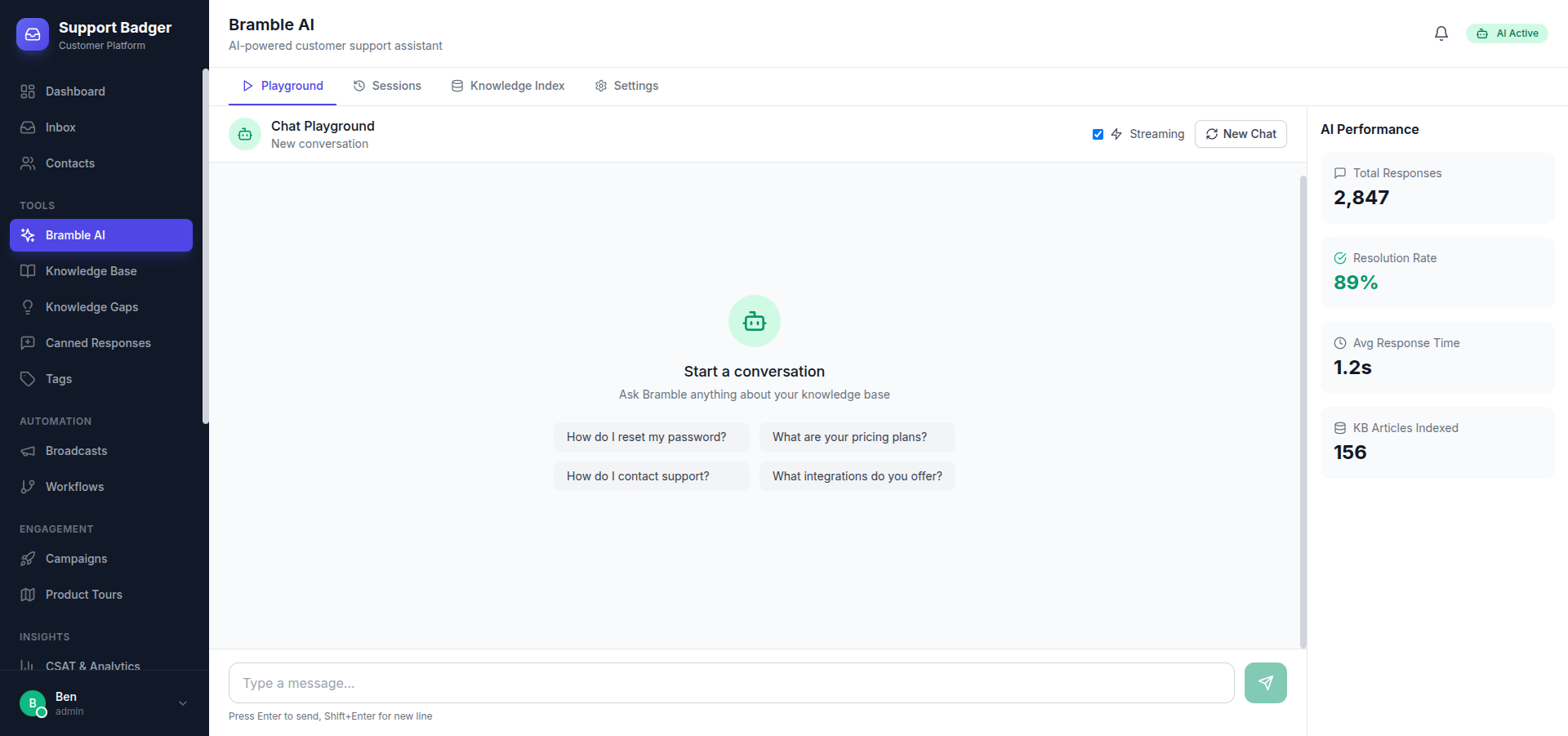
How Bramble AI Works
Bramble AI combines the power of large language models with your knowledge base to deliver accurate responses:
- Knowledge Indexing - Bramble indexes your knowledge base articles and canned responses
- Semantic Search - When a question comes in, it searches for relevant content
- Context-Aware Response - The AI generates a response using retrieved information
- Smart Handoff - Complex issues are automatically escalated to human agents
Getting Started
Enable Bramble AI
- Navigate to Tools → Bramble AI
- Toggle the Enable Bramble AI switch
- Configure your preferences
Feed Your Knowledge Base
Bramble AI is only as good as the information you provide. To get the best results:
- Add comprehensive articles to your Knowledge Base
- Create detailed Canned Responses for common questions
- Keep your content up-to-date
- Use clear, specific language in your articles
Configuration Options
AI Personality
Customize how Bramble AI communicates with your customers:
- Tone - Professional, friendly, casual, or formal
- Name - Give your AI assistant a custom name
- Avatar - Upload a custom avatar image
- Greeting - Customize the initial greeting message
Response Settings
| Setting | Description |
|---|---|
| Auto-respond | Automatically respond to new messages |
| Confidence Threshold | Minimum confidence level to send automatic responses |
| Response Delay | Time to wait before sending AI response |
| Max Responses | Maximum AI responses before handoff |
Handoff Rules
Configure when Bramble AI should transfer a conversation to a human agent:
- Low Confidence - When AI isn't sure about the answer
- Customer Request - When customer asks to speak to a human
- Sentiment Detection - When customer appears frustrated
- Topic-based - For specific topics like billing or cancellations
- Time-based - After a certain conversation duration
Testing Bramble AI
Before deploying to customers, test Bramble AI using the built-in testing interface:
- Go to Tools → Bramble AI → Test
- Enter sample customer questions
- Review the AI responses and source citations
- Adjust settings as needed
Monitoring Performance
Track how well Bramble AI is performing:
- Resolution Rate - Percentage of issues resolved by AI
- Handoff Rate - How often AI escalates to humans
- Customer Satisfaction - CSAT scores for AI conversations
- Response Accuracy - Based on agent feedback
Best Practices
- Regularly update your knowledge base with new information
- Review AI conversations to identify knowledge gaps
- Use customer feedback to improve article quality
- Set appropriate confidence thresholds for your use case
- Monitor handoff reasons to identify improvement areas
Pricing
Bramble AI is available as an add-on to any Support Badger plan:
- Price: +€30/month
- Includes unlimited AI conversations
- Access to all AI features
- Priority model updates