Support Badger provides comprehensive analytics to help you understand team performance, identify trends, and make data-driven decisions.
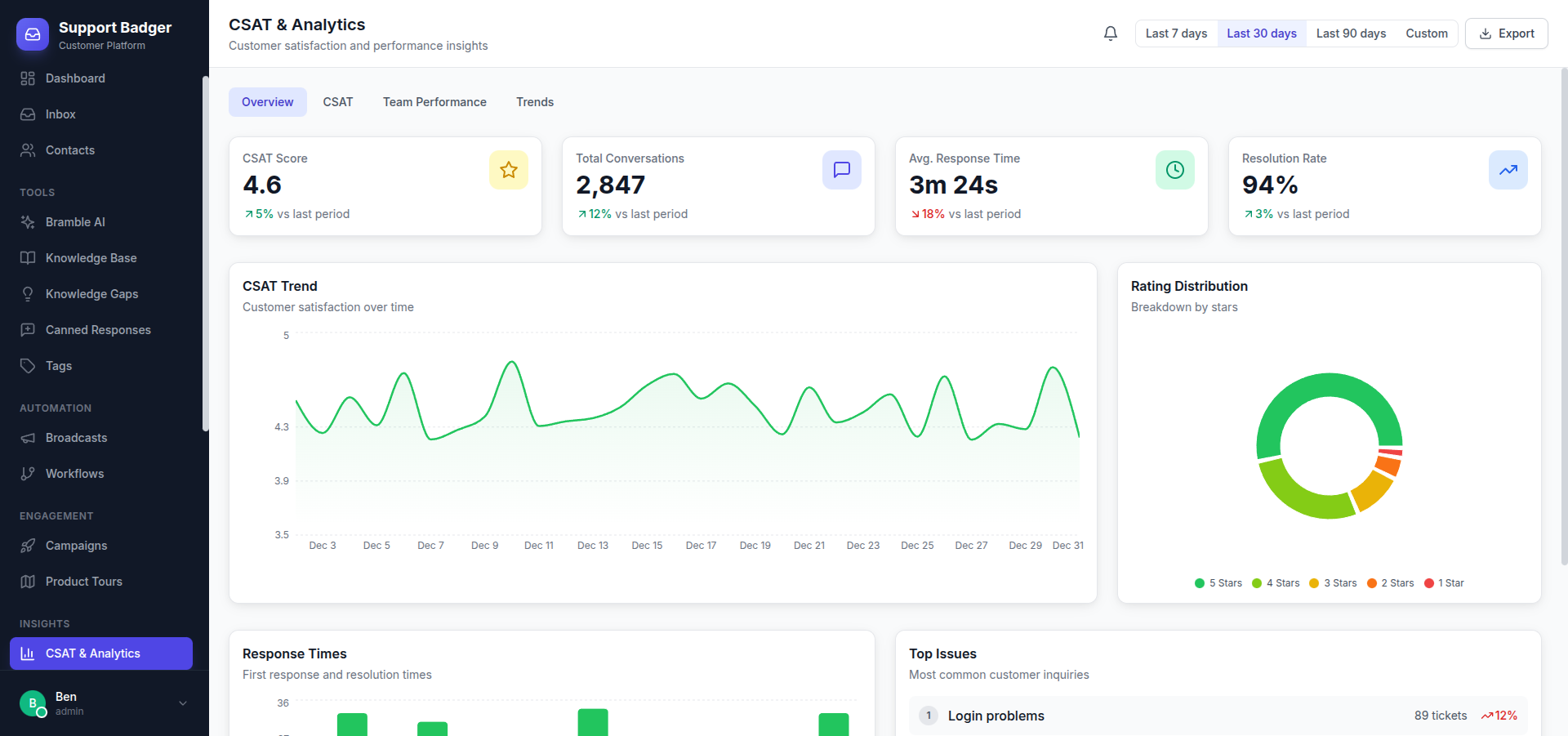
Dashboard Overview
The main dashboard provides a real-time snapshot of your support operations:
- Open Conversations - Current active conversations
- Response Time - Average first response time
- Resolution Time - Average time to resolve
- CSAT Score - Customer satisfaction rating
Key Metrics
Response Metrics
| Metric | Description |
|---|---|
| First Response Time | Time from conversation creation to first agent reply |
| Average Response Time | Average time between customer messages and agent replies |
| Response SLA % | Percentage of responses within SLA targets |
Resolution Metrics
| Metric | Description |
|---|---|
| Resolution Time | Average time from creation to resolution |
| First Contact Resolution | Percentage resolved in single interaction |
| Reopen Rate | Percentage of resolved conversations reopened |
Volume Metrics
| Metric | Description |
|---|---|
| Conversations Created | New conversations in the period |
| Conversations Resolved | Conversations closed in the period |
| Messages Sent | Total outbound messages |
Team Performance
Track individual and team performance:
- Conversations Handled - Per agent and total
- Response Times - Individual agent metrics
- CSAT by Agent - Customer satisfaction per team member
- Resolution Rate - How effectively agents resolve issues
- Busiest Hours - Peak activity times
Reports
Available Reports
- Overview Report - High-level summary of all metrics
- Team Report - Detailed breakdown by team member
- Tag Report - Conversation volume and metrics by tag
- Channel Report - Performance by channel (email, chat, Slack)
- SLA Report - SLA compliance and breach details
- CSAT Report - Customer satisfaction trends and feedback
Date Ranges
All reports support flexible date ranges:
- Today, Yesterday
- Last 7 days, Last 30 days
- This month, Last month
- Custom date range
Export Options
Export reports for external analysis:
- CSV export for all data tables
- PDF reports for sharing
- Scheduled email reports
Charts & Visualizations
- Trend Charts - Track metrics over time
- Distribution Charts - Understand conversation patterns
- Heatmaps - Identify peak support hours
- Comparison Charts - Compare periods or team members
CSAT Surveys
Collect customer feedback with built-in CSAT surveys:
- Configure survey settings in Settings → CSAT
- Choose when to send surveys (after resolution, delay, etc.)
- Customize the survey message
- View responses in the CSAT report
Survey Options
- Rating Scale - 1-5 stars or emoji scale
- Follow-up Question - Optional text feedback
- Delay - Time to wait before sending survey
- Channel-specific - Enable/disable by channel
AI Notebooks
AI-generated insights about your customers:
- Customer Summaries - AI-written overview of each customer
- Common Issues - Frequently reported problems
- Trends - Emerging topics and concerns
- Recommendations - Suggested actions based on data